Welcome to the new 360TT Blog: comments, 3 languages and TL;DR
In this post7 sections
The 360TT blog has moved. The old one did the basics, but it had a few limitations, and one of them really bothered me: I couldn’t reply to comments. Neither could anyone else. You asked questions, disagreed, shared experiences, and the conversation died right there. On a blog that wants to discuss equipment, technique and training methodically, that was the same as talking to myself.
We built the new blog for you, the reader who loves table tennis and wants to go beyond the surface.

This post is a quick guide to what changed and how to make the most of each feature. It only takes a few minutes, and then you won’t need to think about it again.
Don’t know what TL;DR means? Click here.
TL;DR: you can now join the conversation in the comments, and I reply. The old posts, comments and links came along. You can read in Portuguese, English or Spanish, find any topic through search, topics and tags, and, if you’re short on time, start with the TL;DR, the summary that opens the longer posts.
Now we can talk
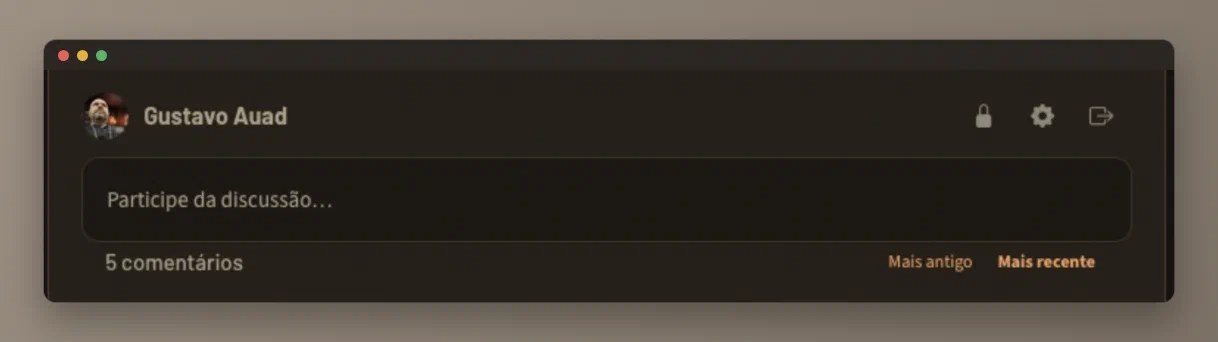
This is the most important change. At the end of every post there’s a real comment section, with threaded replies, and I answer. To get there without scrolling, use the Join the discussion link at the top of each post.
- To comment: you need an account. Creating one takes seconds: with email and password, or by signing in with Google.
- Moderation: your first comments are reviewed before they appear, and so are comments with links. It’s only there to keep out bots and spam.
- Replies by email: when someone replies to you, you get a notification. No need to keep coming back to check.
Disagreeing is welcome, preferably with arguments and evidence. Nobody learns anything in a place where everyone agrees.
Nothing from the old blog was lost
All the posts from the old blog (which was only in Portuguese) are here, revised, organized and now in three languages. The comments readers left there came along too, each on its own post. The old addresses still work: anyone who clicks an old link, saved in bookmarks or shared in a WhatsApp group, lands right on the correct post.
We want the blog to reach the world
The blog is now multilingual: every post is available in Portuguese, English and Spanish. At the top of the page (on your phone, inside the menu) you’ll see PT · EN · ES: one tap and you switch languages. It also means you can share a post with that club-mate who speaks Portuguese or Spanish, or with a coach who doesn’t read English.
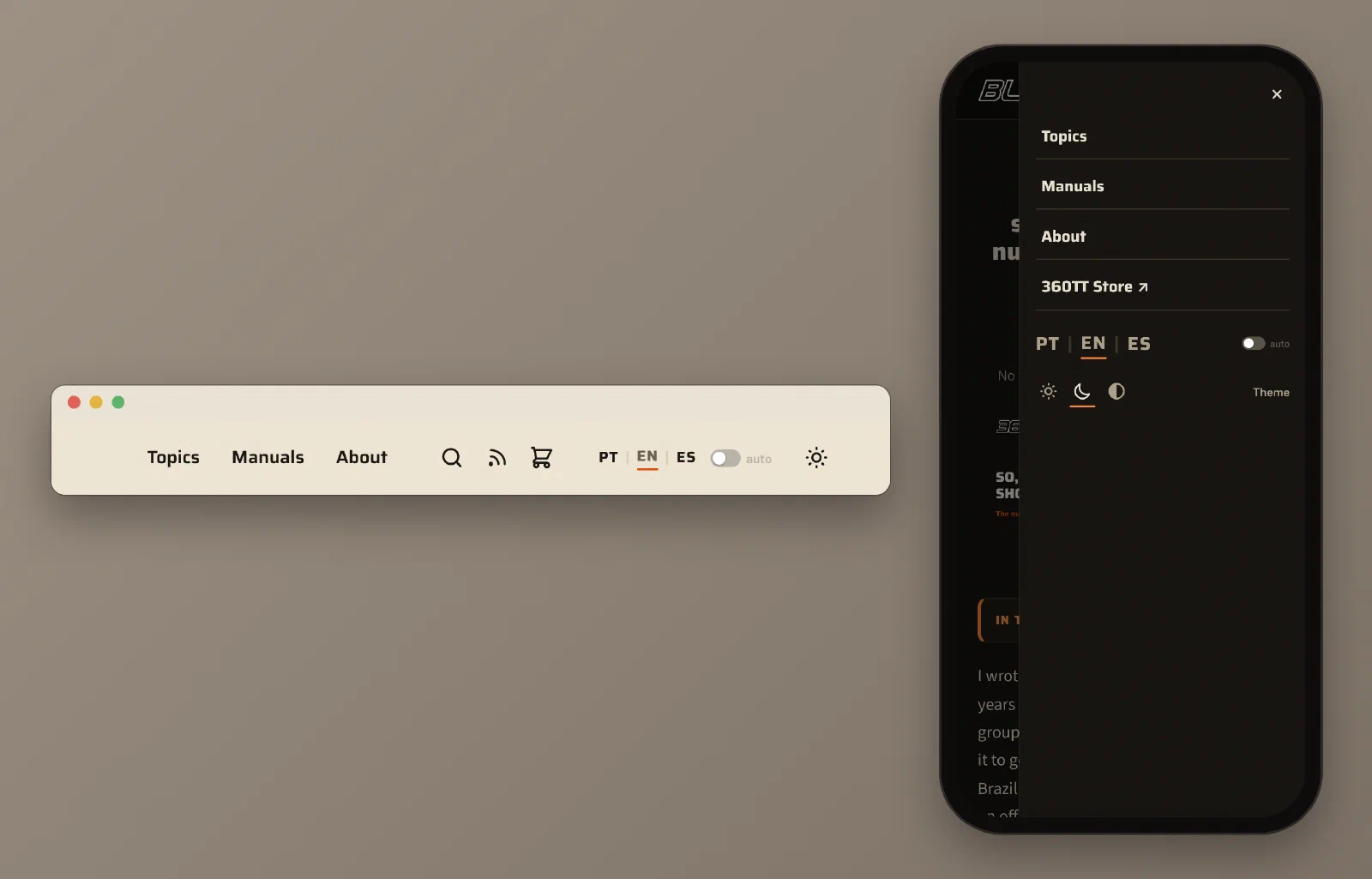
Next to the language codes there’s the auto switch. When it’s on, it remembers the language you chose and always opens the blog in it, even when someone sends you a link in another language.
Find what you’re looking for
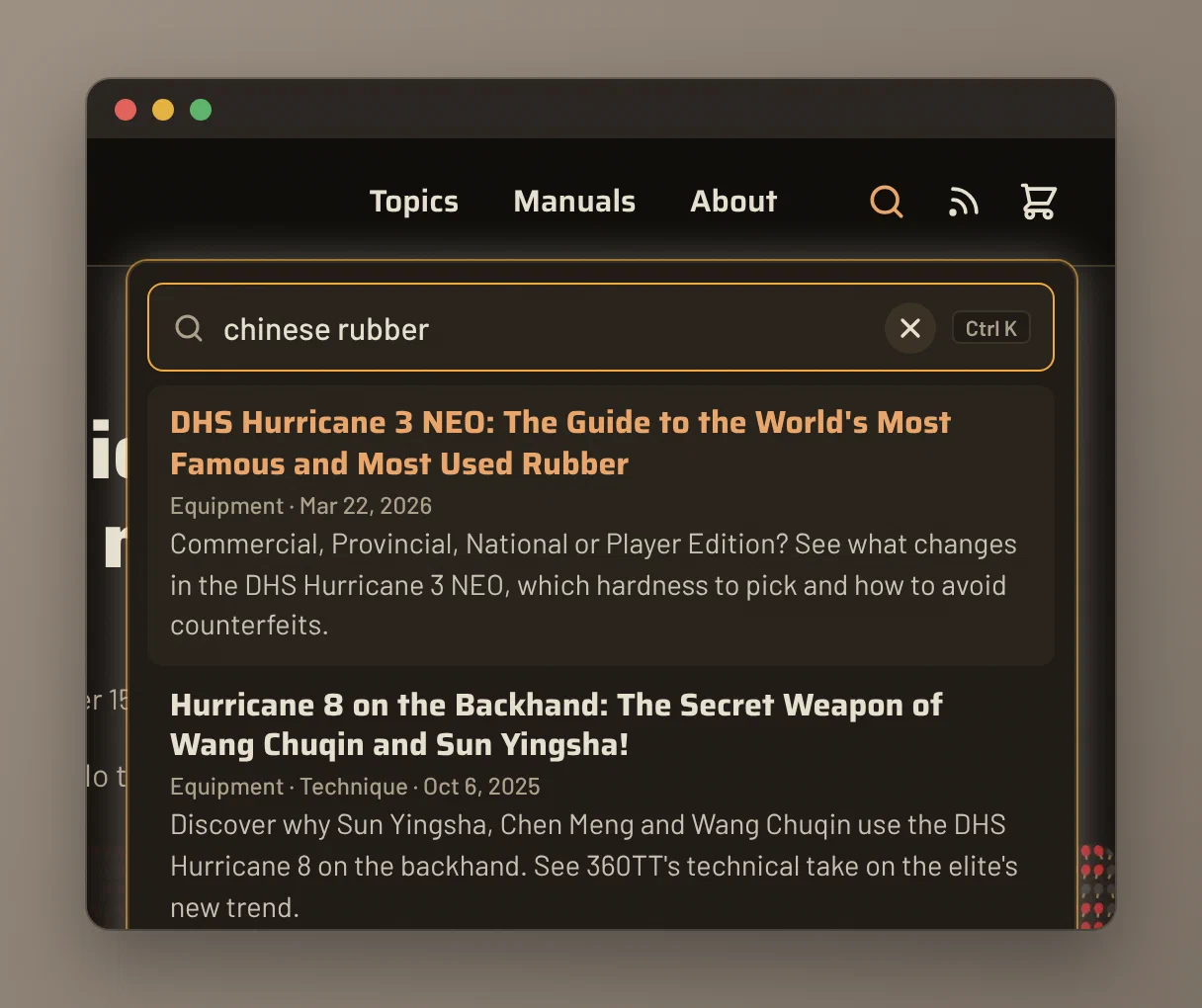
- Search: the magnifying glass at the top searches the full text of every post. On a computer, you can open it directly with the / key or with Ctrl K (⌘K on a Mac).
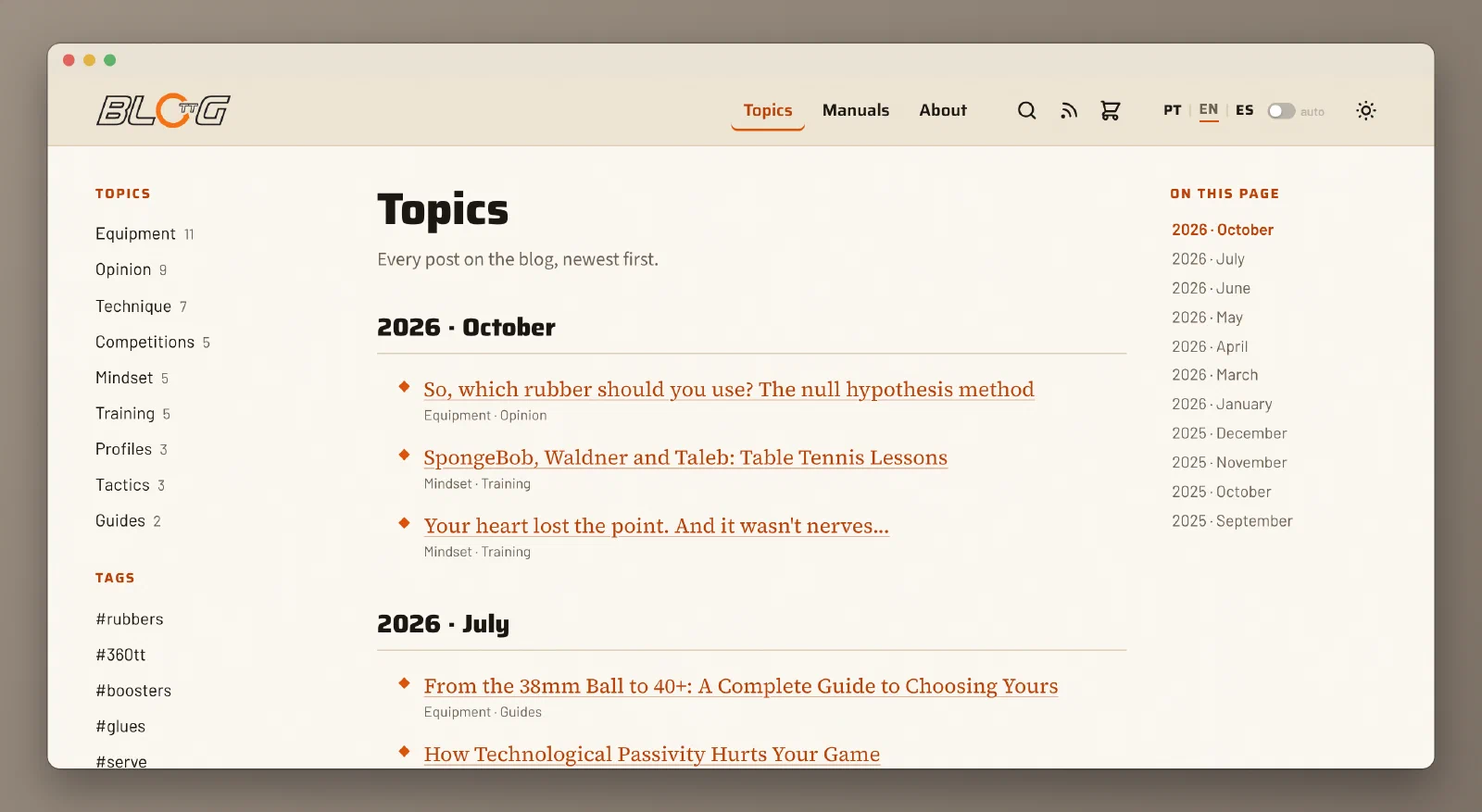
- Topics: posts are organized into fixed subjects, such as Equipment, Technique, Tactics, Training and Mindset. The Topics page, in the menu, shows all of them at once, by subject and by date.
- Tags: every post carries a few labels, like #rubbers or #serve. Click one and you’ll see every post that has it: it’s our web of knowledge.
- Manuals: the manuals for 360TT products have their own page, separate from the posts.
- Featured: on the home page, a selection of the posts I most recommend to newcomers.
No time to read, or just feeling lazy? Use the TL;DR
Some posts are long on purpose: serious subjects need full explanations. But nobody has to read everything in one go, and that’s where the TL;DR comes in.
TL;DR is internet shorthand for too long; didn’t read. It started on forums as a somewhat mocking reply to long texts and ended up becoming the name of the summary the author places at the beginning, for those who want the essentials before deciding whether to read the rest. Here on the blog it shows up in two ways:
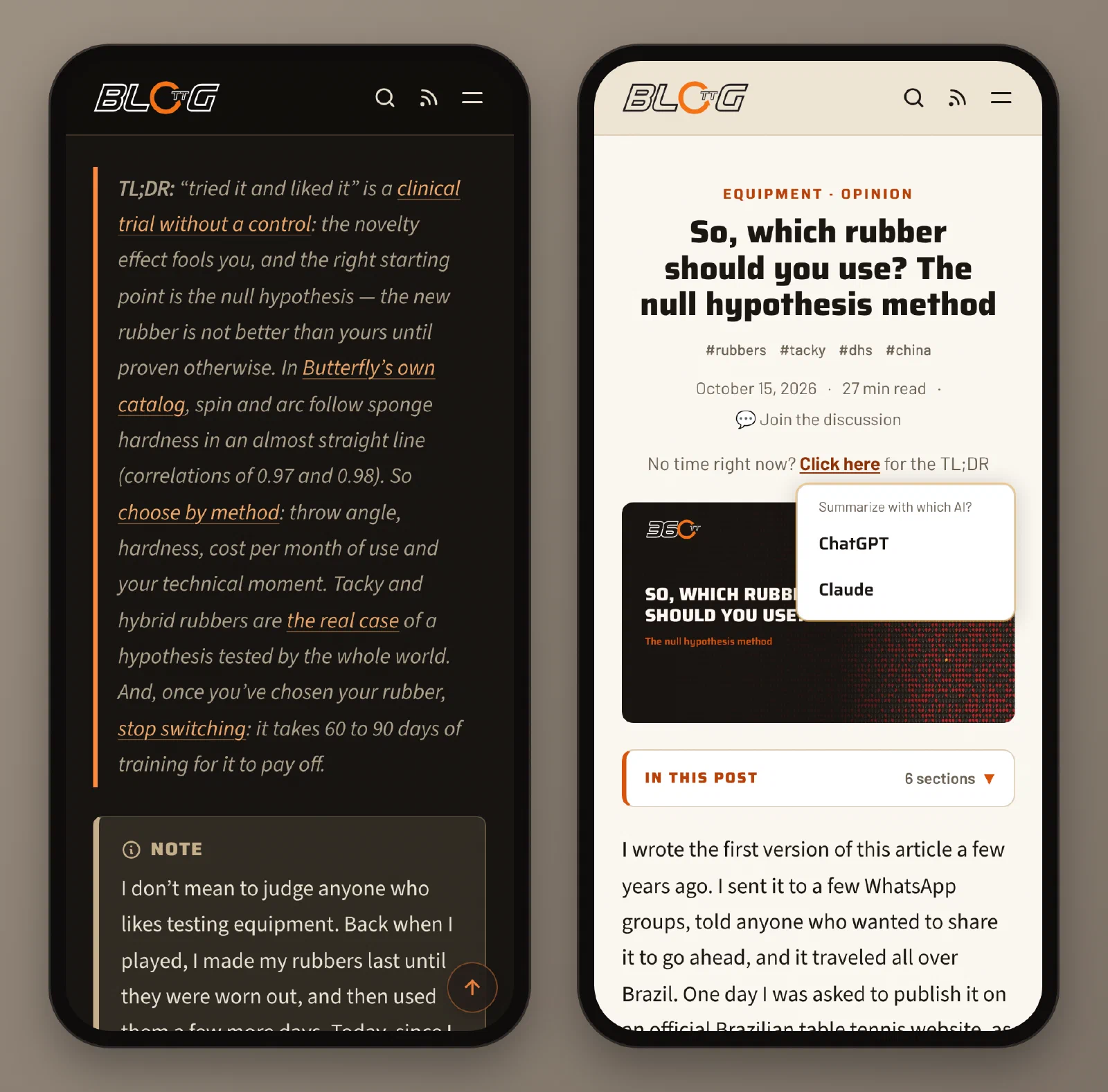
- The summary I write: in the longer posts, right after the introduction, there’s a highlighted paragraph that starts with TL;DR:. It holds the main ideas in a few lines, and each one has a link that takes you straight to the part of the post that explains it. Read the summary and got curious about a point? One tap and you’re there.
- The AI-made summary: on every post, right below the title, you’ll see “No time right now? Click here for the TL;DR”. The “click here” opens two options, ChatGPT or Claude. Pick one and it opens with the request ready to summarize that post, without you typing anything. Both have free versions (they may ask you to sign in). And the conversation doesn’t stop at the summary: you can keep asking whatever you want about the post, and your favorite AI becomes a kind of private tutor on the subject. Just remember that AI can make mistakes too; when in doubt, trust what the post says.
Two more reading shortcuts:
- In this post: the outline with the post’s sections. On a computer it sits beside the text; on a phone, in a button near the top.
- Reading time: shown below the title, so you can decide whether to read now or save it for later.
Small conveniences
- Large images: tap or click any chart or photo and it opens full screen, in high resolution. To close it, tap again or press Esc.
- Light or dark: the blog follows your device’s theme, and you can switch it with the icon in the header (on a phone, inside the menu).
- Sharing: at the end of each post there are buttons to send it on WhatsApp, on Facebook or to copy the link. On phones (and some computers), one more button appears that opens your device’s own share menu, with all your apps.
- Follow without social media: if you use an RSS reader, you can subscribe to the blog with the icon next to the magnifying glass. The page explains how it works.
What’s coming next
The plan is to publish often, about equipment, technique, training, tactics and whatever is happening on the circuit, always with the same care to separate what has evidence from what is just fashion. And I won’t be writing alone: Alcir Zardetto Franzol, our guest author, is already here and will keep writing. Other authors should join us soon.
Now it’s your turn: is there a subject you’d like to see here? An equipment question nobody ever answered properly? Leave it in the comments. That’s what they’re for now.
how to comment · comment · reply to comment · language · portuguese · spanish · search the blog · old blog · rss · dark mode
Read also
From the 38mm Ball to 40+: A Complete Guide to Choosing Yours
From 38mm celluloid to ABS plastic: understand how the ball changed table tennis and find out which DHS 40+ ball is right for your level of play.

Which 360TT Glue to Use? The Definitive EasyGlue Guide
Find out which 360TT EasyGlue is right for you. See the viscosity, effect and player profile of each one and choose for speed, spin or control.

Eyes, ears and the size of the hall: the science of reading the ball
Why we react to the sound of the hit before the image, how the ear reads spin and why the ball seems slower in a big hall. Learn how to train both senses.
Comments
Comment with your account (email or Google). Every comment is reviewed before it appears.